01 / MAKE A MARK
Start with you.
A quick scribble. A shape. A photo. Put something on the canvas and see where it takes you.
 AI Paint.
A creative playground. Made for Mac.
Start with a sketch. Follow a wild idea.
Bring it to life with a little help from AI.
Free to draw · macOS 14.4+ · No API key needed
Available now. More on the way. We’re working on an app update to support newer AI image models.

“An orange sculpture in a sunlit desert.
Make it feel a little out of this world.”
A spark. A sketch. Something new.
You don’t need the perfect prompt.
Just a place to start, and room to play.
A quick scribble. A shape. A photo. Put something on the canvas and see where it takes you.
Select a part of your image and describe a new direction. Give the background, a detail, or the whole idea another look.
Arrange layers, add text and effects, then export your creation. Every decision stays in your hands.
Feels right at home.
A real canvas, with the tools you reach for.
Layers, drawing, selections and AI —
together in one native workspace.
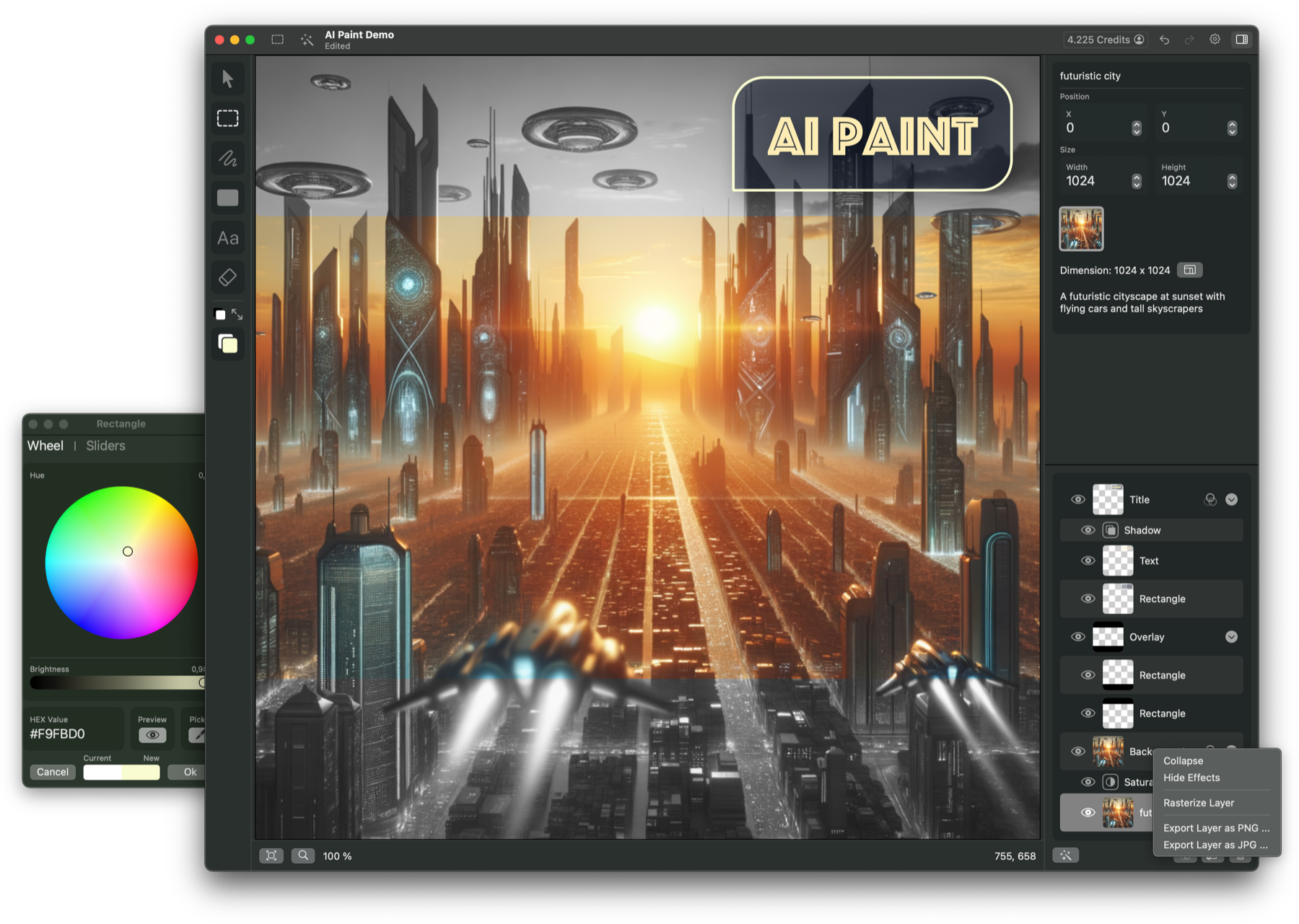
AI Paint is available today. Support for newer GPT Image models is in development and will arrive in an upcoming app update.
Drawing is free. For AI, buy credits when you need them and see the cost before you create.
Export in PNG, JPEG or SVG. Keep your layered original and take the finished work wherever it belongs.
Before your first brushstroke.
Yes! AI Paint is already available on the Mac App Store. We’re working on an app update to add support for newer AI image models. Those additions are not yet part of the current App Store release.
Absolutely. Draw, add shapes and text, arrange layers, and export your work. The drawing tools are free to use.
AI image generation and editing use credits. Choose a credit pack in the app when you need one. The credit cost depends on your selected model and settings, and is shown before you generate.
No. Sign in to use the built-in AI features with credits. There is no API key to set up.
AI Paint runs on macOS 14.4 or later. Download it directly from the Mac App Store.
Your canvas is waiting.
Free to draw. Yours to explore.